The Best E-Readers


All featured products and deals are selected independently and objectively by the author. Better Report may receive a share of sales via affiliate links in content.
I used to be anti-e-reader, but I’ve come around. There is nothing quite like holding a physical book or browsing the shelves of a library, but it’s hard to deny an e-reader’s usefulness. You can read any book you want whenever you want to read it, and you can change your mind and read another instead, even if you’ve just landed in another country for a trip — with no separate carry-on for all your options. E-readers also support checking out digital books for free from your library using Overdrive. I still buy physical books when I’m really drawn to one, but I’ve read significantly more since switching. After years of testing e-readers, these are the best options available right now. In a reading rut? Consider some of our favorite books.
Prices are accurate as of June 28, 2026. Subject to change.
What About Tablets or Other E-Ink Screens?
If you already have a tablet like an iPad or Samsung Galaxy Tab, or an E-Ink device like the reMarkable, you can read e-books on them, as you can on your phone or laptop. You don’t need to buy yet another device. But if you do read e-books often, it’s worth the upgrade. E-ink screens are easier on your eyes, the batteries typically last weeks to months, and an e-reader is free from distractions. You won’t be tempted by a notification or start scrolling Instagram the second your attention wanders. If you need something to read and work on, get a tablet. If you just want distraction-free, easy reading, get an e-reader.
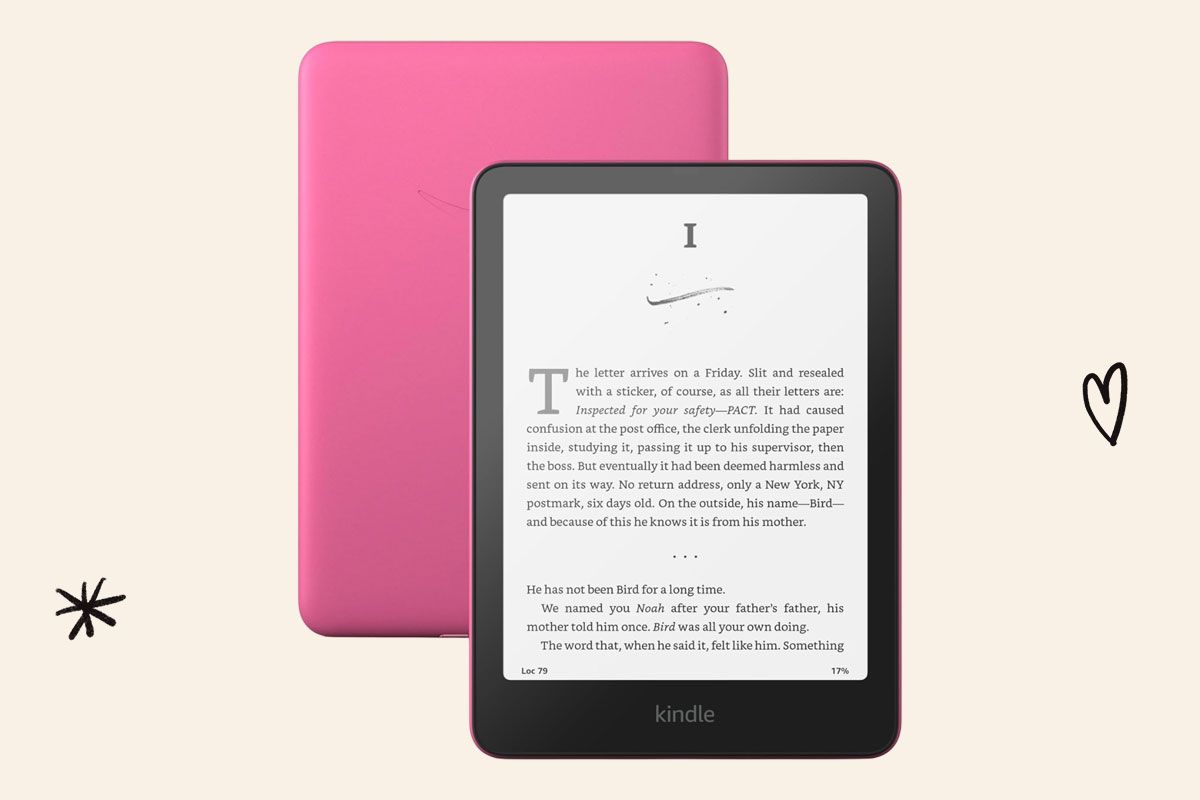
Best Kindle: Kindle Paperwhite
Amazon updated its line of Kindles in 2024 and they still remain some of the best. They tend to be the easiest and most straightforward to use, and nearly every title is available from Amazon’s library. No matter how many great e-readers I test, I always return to the Paperwhite. This base version of the Paperwhite has 16 gigabytes of storage, equaling thousands of books. This update gives it a slightly larger, 7-inch screen and faster processing so you get less lag (though it was barely noticeable in the previous version).
If you want to upgrade to the Signature Edition, storage doubles to 32 gigabytes, and you’ll also get wireless charging and an auto-adjusting backlight. The Paperwhite Kids edition is essentially the base Paperwhite, but includes a case, a one-year subscription to Amazon Kids+, and a two-year worry-free guarantee so you can replace it if your kid smashes it. All three are waterproof so you can read while poolside or relaxing in a bubble bath. If you have the last version of the Paperwhite, you don’t necessarily need to upgrade, but if you want to, we recommend waiting for deals events like Black Friday or Prime Day.
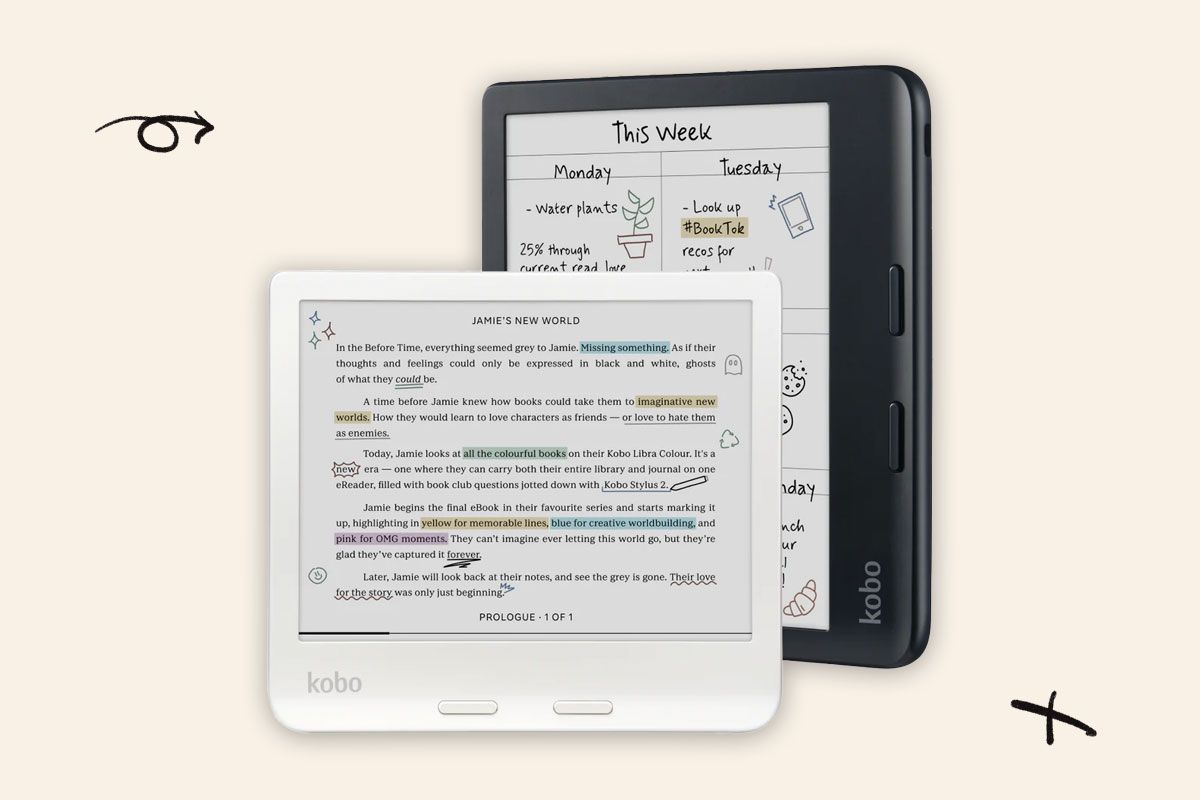
Best Non-Amazon E-Reader: Kobo Libra Colour
When it comes to e-readers, Kobos are a very close second. This is the newest model with a 7-inch color screen, so you can see book covers and graphic novel pages accurately and highlight books or write in notebooks with colored ink, which is a fun feature — you’ll need to purchase the stylus separately for writing, though. The Libra also has physical page turn buttons which I much prefer to just tapping a screen, and that extra bezel space makes it more comfortable to hold during long reading sessions. You can even turn it on its side to read or write in landscape mode. The Libra is waterproof for pool or bath reading sessions and it has 32 gigabytes of storage. In 2024, Amazon also released a color e-reader, the Colorsoft, but at $280 it’s quite an investment when other great e-readers exist for less.
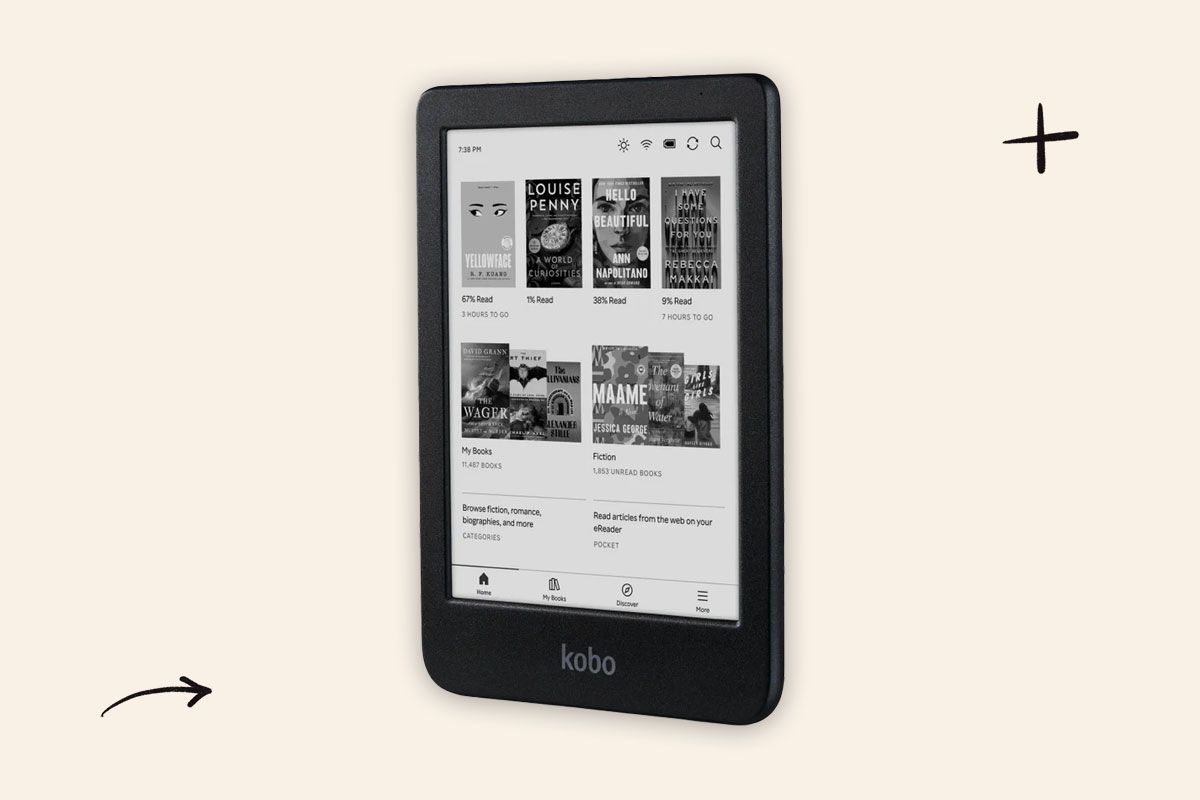
A Black and White Kobo: Kobo Clara BW
I tested the Clara Colour along with the Libra Colour, but not everyone needs or wants a color screen in their e-reader. This black and white Clara is the same model with warm lighting, 16 gigabytes of storage, and waterproofing. The 6-inch screen is smaller than the Libra and it lacks page-turn buttons. That means the entire body is also smaller, so it fits in smaller bags. All Kobos have Pocket integration built-in, so you can catch up on your article reading too.
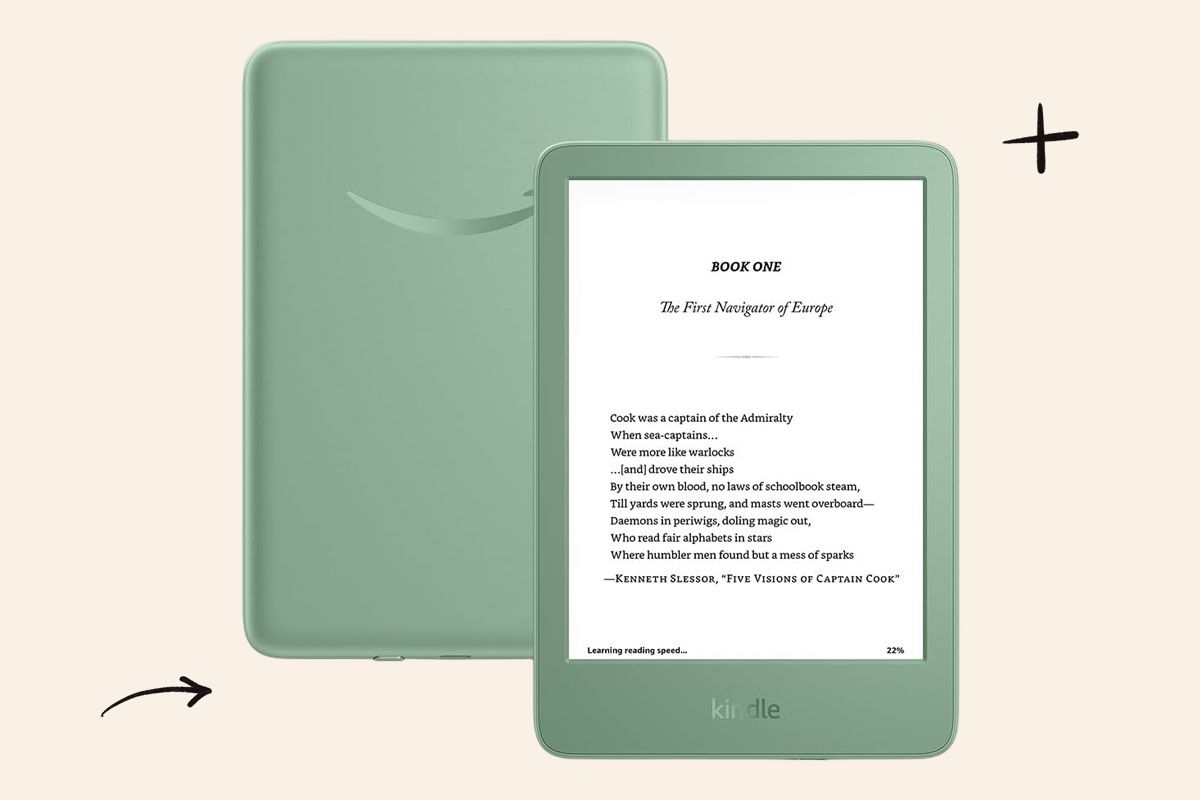
A Budget Pick: Kindle (2024)
I wouldn’t normally consider $110 budget-friendly, but it is the cheapest of Kindle’s lineup (it’s risen $10 since the last version). If you want to spend as little as possible without sacrificing usability, get the base model. It’s the smallest Kindle with a 6-inch screen, but it works just as easily as the Paperwhite. You lose waterproofing and warm lighting and it doesn’t get quite as bright. There’s still a solid 16 gigabytes of storage.

Reader Favorites



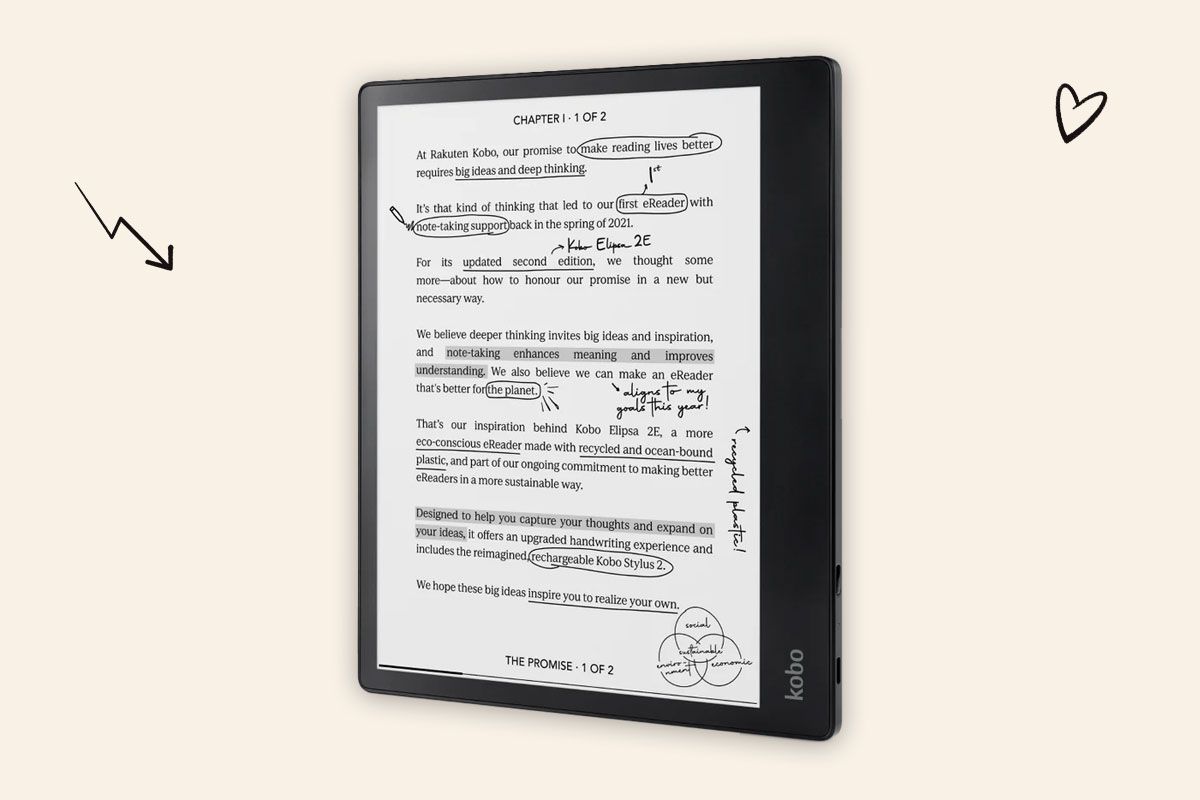
For Taking Notes: Kobo Elipsa 2E
You can write on the Kobo Libra Colour, but if you want a dedicated device meant for heavier note-taking or doodling, consider the Kobo Elipsa 2E. It’s expensive, but writing is significantly easier on the large, 10.3-inch screen. The notebooks section is separated into regular notebooks that you can customize with around 20 background options —like plain, lined, or graph paper — and advanced notebooks, which have one background, but convert your handwriting to text and come with other quick edit tools, like auto-erasing a word or letter by scribbling over it or underlining twice to turn it into a heading. Amazon’s Kindle Scribe is a slightly cheaper note-taking device that’s a similarly great tool with functional notebooks, but strangely, you can’t write directly on book pages yet. I could see either being a great alternative to a tablet for kids, so they can focus on reading, but also have a space for drawing or journaling. Neither is waterproof, unfortunately.
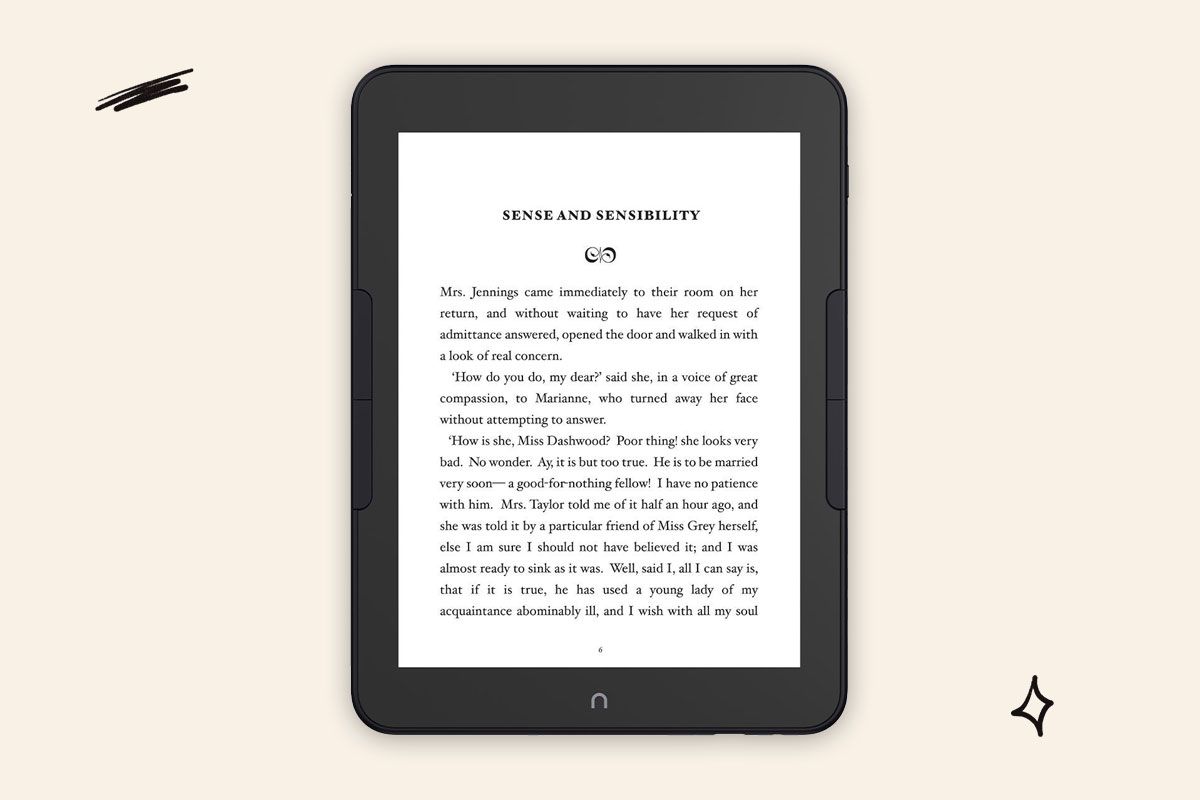
Honorable Mention: Barnes & Noble Nook Glowlight 4 Plus
Kobos and Kindles are better devices, but there are many loyal Nook users. I love the page-turn buttons on the Glowlight 4 Plus and the large 7.8-inch screen. It’s also waterproof with 32 gigabytes of storage. In general, though, Nooks are a bit slower with a more noticeable screen lag. If you frequently check out free e-books from your library, the process of getting it to your Nook is more annoying, too. Instead of simply sending it to your account like on a Kindle, or using OverDrive directly on a Kobo, you need to download Adobe Digital Editions and connect the Nook to your computer to physically transfer the files (this process changes every so often, so consult the manual of the model you have). Is it hard? No. Is it easier on every other e-reader we’ve tried? Significantly.
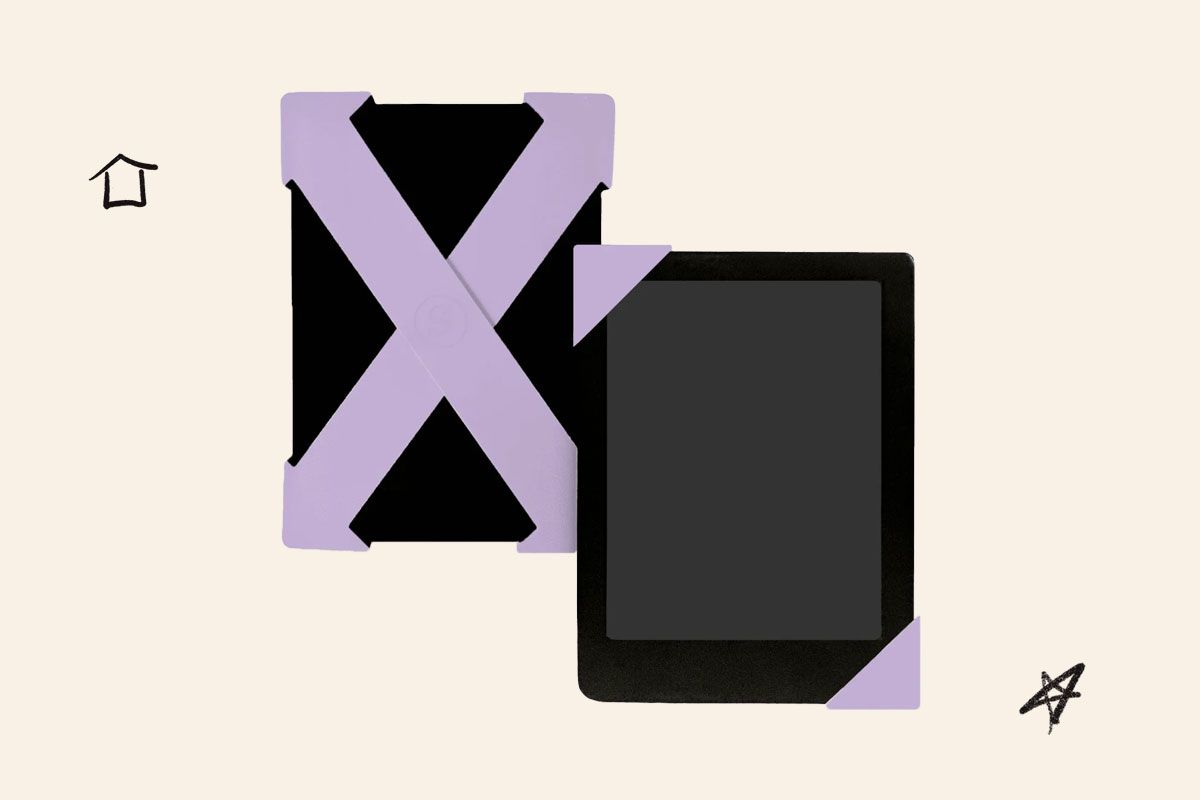
An Accessory: Strapsicle
Sometimes during long reading sessions, your hands no longer want to hold on to a physical book or an e-reader. With the latter, however, there’s only so many spots for your hands to rest to not accidentally hit the screen and turn the page. Strapsicles hook onto the back of your device, giving your hand a place to comfortably rest without having to actually grip. A pack includes two straps, so you can use them together or separately, depending on what angle works best for you. I used them many times while floating around in a pool and they didn’t budge. The product pages outline which size fits which device, and there’s also a size chart on the Strapsicle website.
Featured Image Credit: Unsplash+ via Getty Images
More From Our Network
Better Report is part of Inbox Studio, an email-first media company. *Indicates a third-party property.





Medea is a writer and editor covering products across categories like beauty, pets, and home since 2017. Her commerce and lifestyle writing has appeared in WIRED and The New York Times. She currently lives in Pennsylvania with her husband and three cats.
This article is for general informational purposes only.
Affiliate Disclaimer Medical Disclaimer Financial Disclaimer